How my Claude brain is structured
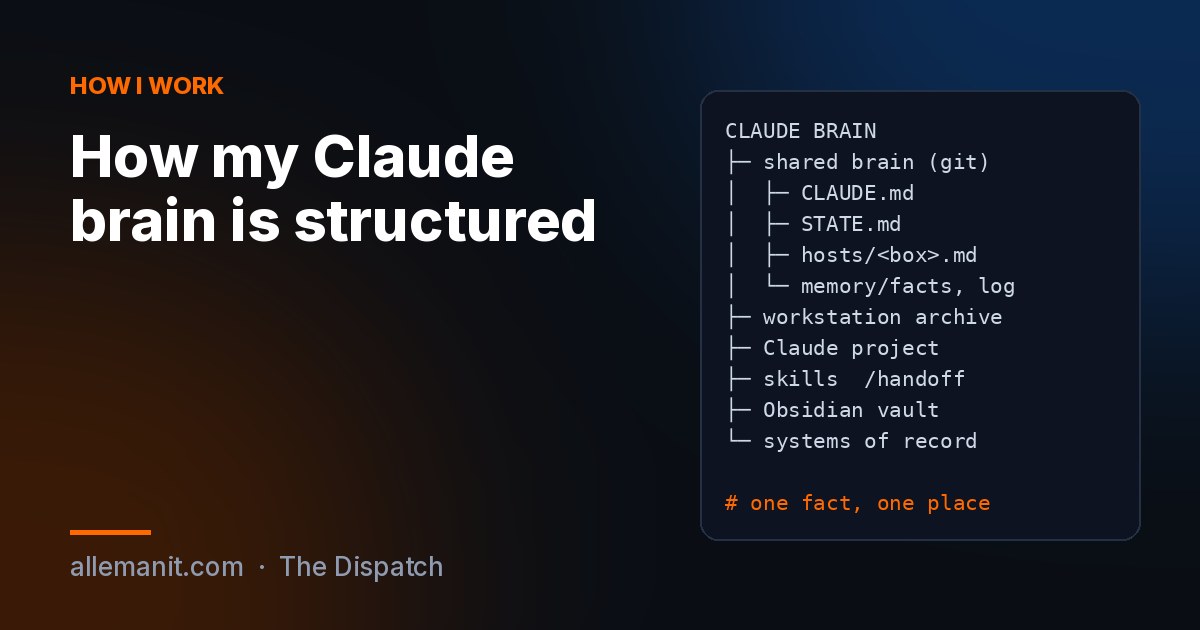
I run Claude on five machines: my Windows workstation, an Arch laptop, two cloud servers and a GPU box in the homelab. For a while each one had its own idea of what was true. The laptop did not know the workstation had shipped an App Store release. A server would read a note saying a VPN was still running, a week after I tore it out. The AI was not the problem. The memory was.
So I built a brain. Not a vector database, not a product. Folders, markdown and git, with a few rules about who is allowed to write what. This is the layout.
The short version
Every fact lives in exactly one place. Everything else points at it.
CLAUDE BRAIN
├── 1. Shared brain (private git repo, cloned on every machine)
│   ├── CLAUDE.md        who I am, the north star, hard rules
│   ├── STATE.md         read first: who owns what, what is in flight
│   ├── ENV-CONTEXT.md   the map: boxes, stacks, paths
│   ├── hosts/           one file per machine, only that machine edits it
│   ├── memory/facts/    durable facts another machine needs
│   ├── memory/log/      dated session logs
│   ├── bin/             sync script + secrets CLI
│   ├── hooks/           pull on session start
│   └── commands/        /handoff
│
├── 2. Workstation archive (never leaves that machine)
│   ├── .claude/CLAUDE.md    portfolio index + routing table
│   ├── .claude/GOALS.md     the tie-breaker when priorities fight
│   ├── .claude/History.md   every old session log, folded in
│   ├── Products/<name>/     per-product CLAUDE.md with live state
│   ├── Customers/<name>/    anything built for someone else
│   └── _claude-inbox/       the one inbox
│
├── 3. Claude project        docs + short memory files, visible in
│                            chat, Cowork and Claude Code
├── 4. Skills                /handoff, /orient, /infra, /seo-pass...
├── 5. Obsidian vault        the human side: notes, cheat sheets
└── 6. Systems of record     CRM for projects, secrets manager for
                             keys, password vault for logins
Why six layers and not one
Each layer has one job, and they fail differently.
The shared brain is the part every machine reads. A two-line stub in each machine’s Claude config imports the root file and that machine’s own host file, so every session starts knowing who I am and where it is. It is a git repo because git already solves “two people edited the same file” and gives me history for free.
The workstation archive is the deep history. Session logs, customer folders, product state. It is too big and too personal to sync everywhere, so the shared brain carries a subset and points back to it.
The Claude project holds audits and plans I want to open from my phone, plus small memory files written after each session. Those files are invisible to the servers, which is why anything load-bearing also gets copied into the shared brain.
Skills are procedures I got tired of explaining. /handoff is the important one: it writes the session log, updates the machine’s host file and the state board, and pushes.
The Obsidian vault is mine, not the AI’s. Cheat sheets and run guides I actually read.
Systems of record hold the things memory should never hold. My CRM tracks projects and their status. The secrets manager holds every key, pushed from the machine that uses it. The brain only ever holds names and paths.
How a session actually flows
- Start: the machine pulls the repo and auto-loads the root file plus its own host file.
- Read
STATE.mdfirst. It answers the one question that matters in a multi-machine setup: what did the other box do since I last ran? - On the workstation, the portfolio index routes the session to the right project file before it touches anything.
- Work. A gotcha gets written to its owning log the day it bites. A new secret goes to the secrets manager in the same turn. A new container gets an inventory line and a dashboard tile in the same session.
- End with
/handoff: session log, host file, state board, shared facts, then a commit named<machine>: <topic>. - Every couple of weeks, a fold pass moves old logs into the history file and leaves a three-line summary in the index.
The eight rules that keep it from rotting
- One writer per surface. A machine edits its own host file and its own rows. If it learns something about another machine, it writes a log and flags it. The exception: whoever made a change documents it everywhere, same session.
- Commit messages start with the machine name. It is the only way to answer “who did this” six weeks later.
- Index, not narrative. My root file hit 147KB once. I rebuilt it under 60KB and moved the story into a history file.
- Absolute dates only. “Yesterday” is wrong tomorrow.
- No secrets in any of it. Not in notes, not in logs, not in the repo.
- Bridge local memory. If a fact changes what a different machine would do, it goes in the shared repo, not just the local store.
- Parked means parked. A parked project never comes back as a reminder. I reopen things myself.
- A machine that works hard and never pushes is the failure mode. I lost almost two weeks of context to exactly that. It is why the state board exists.
What I would tell you to copy
Start with three files: a root file that says who you are and what the rules are, a state file that says what is in flight, and one file per machine. Add the handoff command before you add anything clever. Most of the value is in the boring part: every session ends by writing down what changed.
If you want to see what runs underneath all of this, I keep the list on the repos page. The agents that read this brain every day are on the AI agents project page.