
Exploring the Creative Possibilities of n8n Workflows and AI Features
11/4/20252 min read


Introduction to n8n Workflows
In the world of automation and integration, n8n has quickly become one of my favorite tools for connecting services, streamlining tasks, and building smart workflows. Its intuitive interface and powerful flexibility make it possible to design custom automations without writing endless lines of code. Over the past few weeks, I’ve been diving deep into n8n — exploring its features, testing new ideas, and discovering just how much it can simplify everyday processes.
Building Workflows
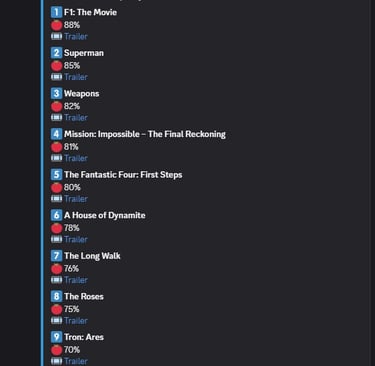
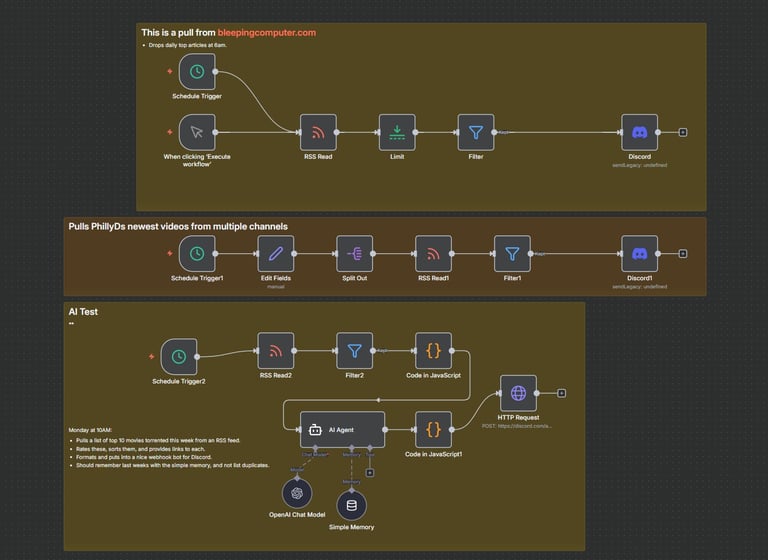
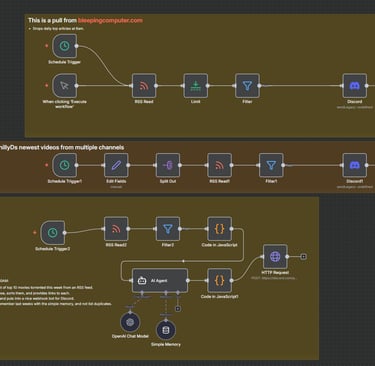
My experience with n8n has been full of experimentation and discovery. By creating dynamic workflows, I’ve automated repetitive tasks that used to eat up my time. One of my early projects involved pulling in RSS feeds, modifying and formatting the content, evaluating it, and then automatically posting the results to a Discord server.
What I love most about this process is how modular n8n is — each node can transform, filter, or trigger actions based on whatever logic you define, making it easy to chain together creative and useful automations.

Testing Network Automations
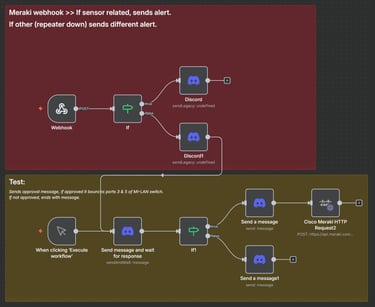
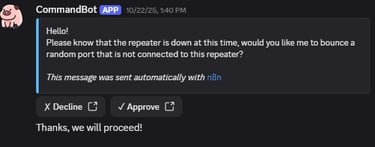
At home, I run a full stack of Meraki gear, which has become the perfect playground for testing network automation ideas. One of my favorite workflows integrates directly with the Meraki Dashboard API. When an alert or webhook comes in — like an access point going offline — n8n automatically sends me a Discord message asking if I’d like to take action.
If I reply “yes,” the workflow triggers an API call that cycles the switch port the access point is connected to. It’s a simple example, but it highlights the real power of n8n: turning what used to be manual troubleshooting steps into smart, interactive automations.


lets Connect:
support@allemanit.com
Serving Chicago — West Loop, South Loop, and surrounding areas